
 English
 Bengali
JYJELI Login — Fast Sign In & Fresh Account Setup
Friend recommended JYJELI, you saw a promo pop up during the cricket highlights, and now you're staring at the sign-in box wondering which field goes where. Totally normal.
Truth is, logging in takes about eight seconds once you've done it once, and registration barely takes longer. Here's the full walkthrough, no fluff.
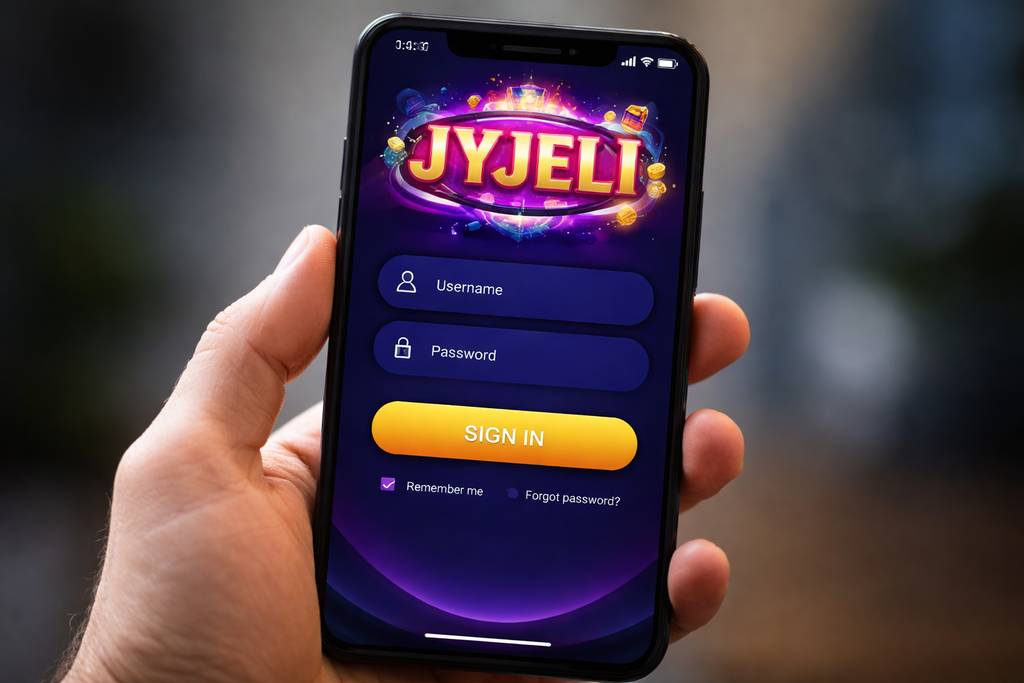
🔑 How to Sign In to JYJELI
Fire up the website or the mobile app, glance at the top-right corner, and there's the bright Sign In button waiting. Give it a tap.
Drop in your username (or the mobile number you signed up with) plus your password, confirm, and the lobby loads. Job done.
Three ways to get inside:
| Method | Requires | Average Speed |
|---|---|---|
| Username + password | Manual typing | ~8 sec |
| Mobile number + password | Manual typing | ~8 sec |
| Biometric (app only) | Fingerprint or Face unlock | ~2 sec |
Quick reminder most players skip: if you're signing in on a friend's phone, an internet café, or a shared workstation, uncheck the "stay signed in" toggle. Takes two seconds and saves headaches.
Already got credentials sorted and want to dive into the casino tables or check the newest slots collection? Just sign in and you're rolling.
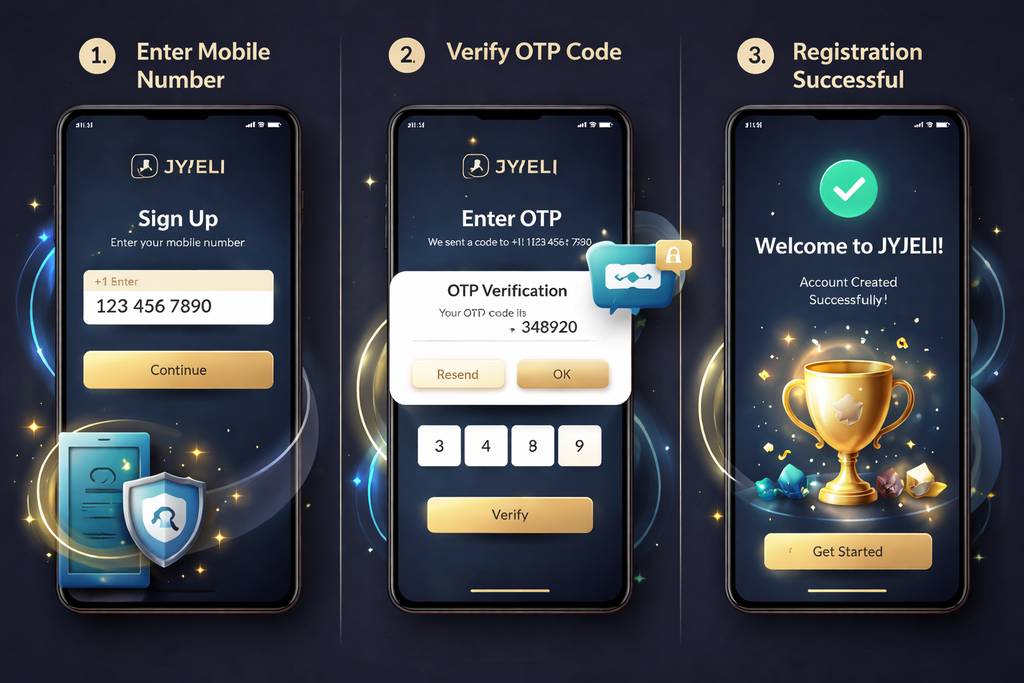
📝 Opening a Fresh Account
No profile yet? Registration is refreshingly light. You only need:
- ✅ An active Bangladesh mobile number
- ✅ A wallet you actually use (bKash, Nagad, or Rocket)
- ✅ Roughly 2 minutes of free time
Step-by-step walkthrough:
- Click the Register button on the homepage or inside the app
- Type your Bangladesh mobile number — should match the one attached to your bKash or Nagad wallet (this saves grief on withdrawal name checks later)
- Choose a solid password — mix uppercase, lowercase, digits, and one symbol
- Enter your full name — exactly as it reads on your NID card
- Pick BDT as your account currency
- Paste a promo code if you've got one — that's the gateway to the welcome bonus package
- Verify the OTP that lands on your phone via SMS
- Confirm the details — your account is officially active
Once you're through the door, feel free to browse the games catalogue before you even think about depositing. Nobody rushes you into funding.
What you skip during signup:
- ❌ Email confirmation (fully optional, add later if you want)
- ❌ NID upload (only requested before your maiden withdrawal)
- ❌ Selfie / KYC photo (only kicks in for withdrawals above ৳10,000)
- ❌ Utility bill or address proof (never part of registration)
That's genuinely one of the leanest signup flows I've seen on the Bangladesh market.
🔒 Keeping Your Account Locked Down
Your JYJELI profile holds your balance, so guard it the same way you'd guard your bKash pin.
Do this:
- ✅ Pick a unique password — one you haven't reused on Facebook, Gmail, or anywhere else
- ✅ Switch on 2FA (two-factor authentication) under Settings — an SMS or email code lands whenever a fresh device tries in
- ✅ Rely on biometric sign-in via the JYJELI Android app — fingerprint or face works instantly
- ✅ Log out from borrowed devices — even trusted family members' phones
- ✅ Peek at your login history each month (Settings → Security → Login Records)
Avoid this:
- ❌ Sharing sign-in details with anyone, mates included
- ❌ Storing passwords in Chrome or Safari on library/office machines
- ❌ Clicking password-reset emails you never asked for — always type the URL fresh
- ❌ Playing real-money rounds on café or hotel Wi-Fi without a VPN
- ❌ Trusting random Telegram accounts pretending to be "JYJELI staff" — genuine support lives on-site only
Phishing watch: if a text or email asks you to sign in through a link, study the URL properly. Anything with tacked-on extras like "jyjeli-promo.com" or "jyjeli-official-bd.net" is a scam trying to lift your credentials. When unsure, close the message and open the site manually.
❓ Recovering a Lost Password
Blanked on your password? Happens to everyone. Quickest route back in:
- Tap "Forgot Password" under the sign-in fields
- Type the mobile number tied to your account
- Receive a 6-digit SMS code within seconds
- Enter the code on the reset page
- Create a brand-new password
- Sign in fresh using the new one
Start to finish, expect around 2 minutes. Codes self-destruct after 10 minutes for security reasons.
If the SMS doesn't arrive:
- Check that your phone has cellular signal (SMS needs it)
- Hold on 60 seconds then tap "Resend code"
- Try email recovery if you added one during signup
- Reach out to live chat as the final option — they can confirm identity via NID and reset manually
If the registered phone number is also gone:
Message support with:
- Your registered full name
- Rough signup month
- Latest deposit amount and method (a bKash/Nagad TRX ID helps loads)
- Scanned NID for verification
The team manually reviews the request and either restores access or migrates the account to a new number. Turnaround is typically 24–48 hours — slow because they're double-checking, which is exactly what you want.
📱 Phone vs Computer Sign In
Both routes work. Each has its own vibe:
- Mobile browser (Chrome, Safari, Firefox):
- ✅ Works on any handset regardless of OS
- ✅ Zero installs required
- ✅ Full site features available
- ❌ No fingerprint sign-in
- ❌ Slightly heavier load times on 4G - Android app:
- ✅ Biometric sign-in (fingerprint or face unlock)
- ✅ Push alerts for promos and results
- ✅ Silkier live-dealer streaming
- ✅ Snappier transitions between sections
- ❌ Android exclusive (no iOS build)
- ❌ Needs "install from unknown sources" toggle - Desktop browser:
- ✅ Larger canvas — perfect for multi-market cricket betting
- ✅ Live streams look sharp on laptop displays
- ✅ Every feature accessible
- ❌ No biometric shortcut
- ❌ Can't take it in your pocket obviously
Most local players stick to mobile — Android app for speed, Safari for iPhone users. Switching to desktop makes sense when you're juggling multiple live markets during a match or tracking a big tournament.
🛟 Help When You're Stuck
Can't get past the sign-in screen? Three lifelines are ready:
- 1. Live chat — bottom-right bubble on every page
- Runs 24/7 in Bangla and English
- Reply time: usually inside 3 minutes
- Ideal for quick blockers (missing OTP, forgotten password) - 2. Email — [email protected]
- Reply window: 4–12 hours
- Best for issues needing attached screenshots or documents
- Adding a screenshot cuts resolution time in half - 3. Official Telegram channel
- Only trust the one linked directly from jyjeli.org — everything else is impersonation
- Reply window: 10–30 minutes
- Handy for community tips and general questions
Real support agents will never ask for your password. If someone claiming to be JYJELI requests it, cut the conversation immediately and report the profile. No exceptions.
❓ FAQ
The most common sticking points around signing in, registering, OTP delivery, and identity checks at JYJELI.
Enter a Bangladesh mobile number and verify the OTP. The whole registration wraps up inside 2 minutes with no documents needed upfront.
Yes, up to 2 devices simultaneously. Anything beyond that triggers a safety check requiring SMS verification before entry.
Hold on for 60 seconds then hit "Resend". Still nothing? Toggle from Wi-Fi to mobile data (some home routers block casino SMS gateways). Contact live chat if resends also fail.
Yes. Full SSL encryption, optional 2FA, biometric shortcuts on the app, and a login-history log inside your account settings. Flip on 2FA under Settings for maximum peace of mind.
Yes, with a verification step. Head to Settings → Personal Info → Change Number. You'll confirm ownership of both the old and new number via OTP.
No. KYC only comes into play before your first withdrawal above ৳10,000 or if a random security review is triggered. Signup is just phone plus password.
Get in touch through live chat. The team confirms identity via NID and processes closure within 7 working days. Any leftover balance is refunded to your registered payment method first.
The account locks for 30 minutes after 5 failed attempts. Use "Forgot Password" to reset — that bypasses the cooldown instantly.
💭 Final Word
Signup and sign-in at JYJELI are honestly some of the smoothest around for a Bangladesh-facing brand. The phone-only registration flow beats competitors that still demand email plus postal address at the door.
If something trips you up, live chat is the shortest path forward. Agents reply in Bangla, and in my testing I never waited beyond 5 minutes — even for late-night queries after midnight.
Set a proper password, activate 2FA, and grab the JYJELI Android app if you're on a compatible device so biometric sign-in becomes your default. That combination keeps my own account tight.